
Which Nextcloud package suits me and how do I upgrade?
WebOké has four Nextcloud packages: Free, Personal, Family and Max. They all work the same way, but differ in storage, number of users and extras. Here you'll read which package suits you and how to upgrade or switch later.
The packages at a glance
- Free: 5 GB storage, 1 user, an account on our shared Nextcloud. To get acquainted: a few files, your calendar and contacts.
- Personal: 250 GB storage (expandable to 500 GB), 1 user, your own Nextcloud. For one person who wants all their files, photos and calendar in their own cloud.
- Family: 500 GB storage (expandable to 1 TB), 5 users. For a family or small team: each with their own account, and easily sharing folders, calendars and albums.
- Max: 1 TB storage (expandable to 2 or 5 TB), 10 users (expandable up to 100). For businesses, associations and larger teams.
With Personal, Family and Max you can add Office licenses (Euro-Office, Talk and more). From Family onwards, you can use Nextcloud's AI assistant with your own API key and put your Nextcloud on your own subdomain, such as cloud.yourdomain.com. You'll find the current prices at www.weboke.nl/en/nextcloud.
More storage, users or Office licenses
- Log in to My WebOké and go to My Products. Open your Nextcloud package.
- Under Configurable options, choose what you need: Storage space, Nextcloud Office users or (with Max) Extra Nextcloud accounts.
- Click Save options. You'll see what you'll pay extra for the rest of your period.
- Click Confirm and pay and pay the invoice.
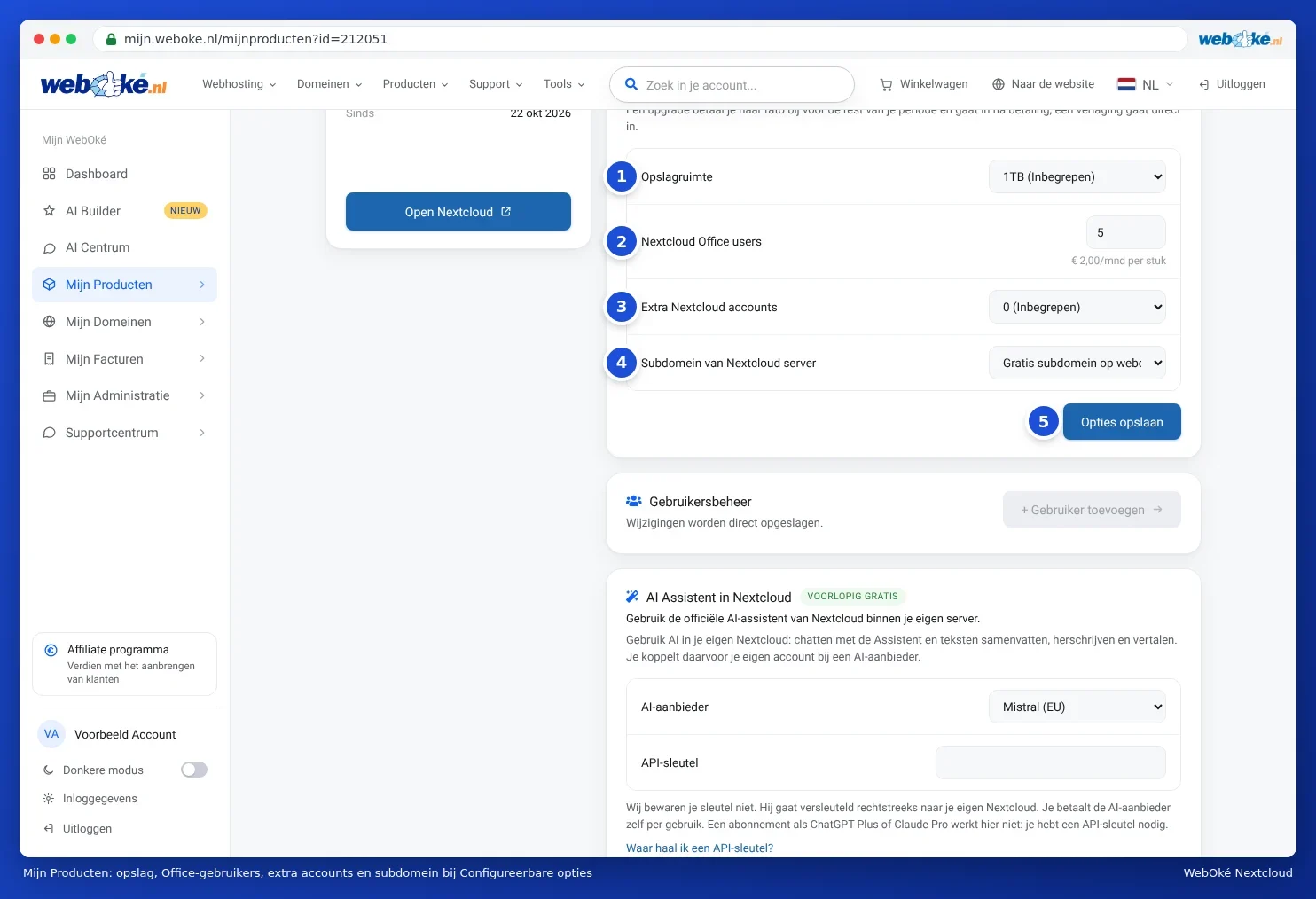
You pay for an upgrade on a pro rata basis for the rest of your period. It takes effect as soon as you've paid. A downgrade takes effect immediately. First check whether your files fit in the smaller storage.
Switching to a different package
- Larger package, for example from Personal to Family: on the package page, under Change hosting package, choose the new package and click Change package. This takes effect immediately and you pay extra on a pro rata basis. You keep your Nextcloud with all your files.
- Smaller package: takes effect at your next renewal. Make sure your users and files fit in the smaller package. More than 5 users is only possible with Max.
- From Free to paid: this isn't an upgrade, because you're switching to your own Nextcloud. You order a paid package and then transfer your contacts, calendars and files with Nextcloud Export. Read Transferring data between Nextcloud accounts.
You can read about managing users and licenses in Creating and managing Nextcloud users and Ordering an Office Suite license and assigning it to a Nextcloud user.
Detailed explanation with screenshots: Nextcloud Free, Personal, Family or Max: differences and switching and More storage or users, changing or cancelling a package in the Nextcloud manual.