
Chapter 1 · 1.6
Working with multiple domains: the domain selector
Do you have more than one domain in your package? Then the domain selector is important. It's located at the top right of the content on every page, with a small globe icon in front of it. There you can see which domain you're currently working on.
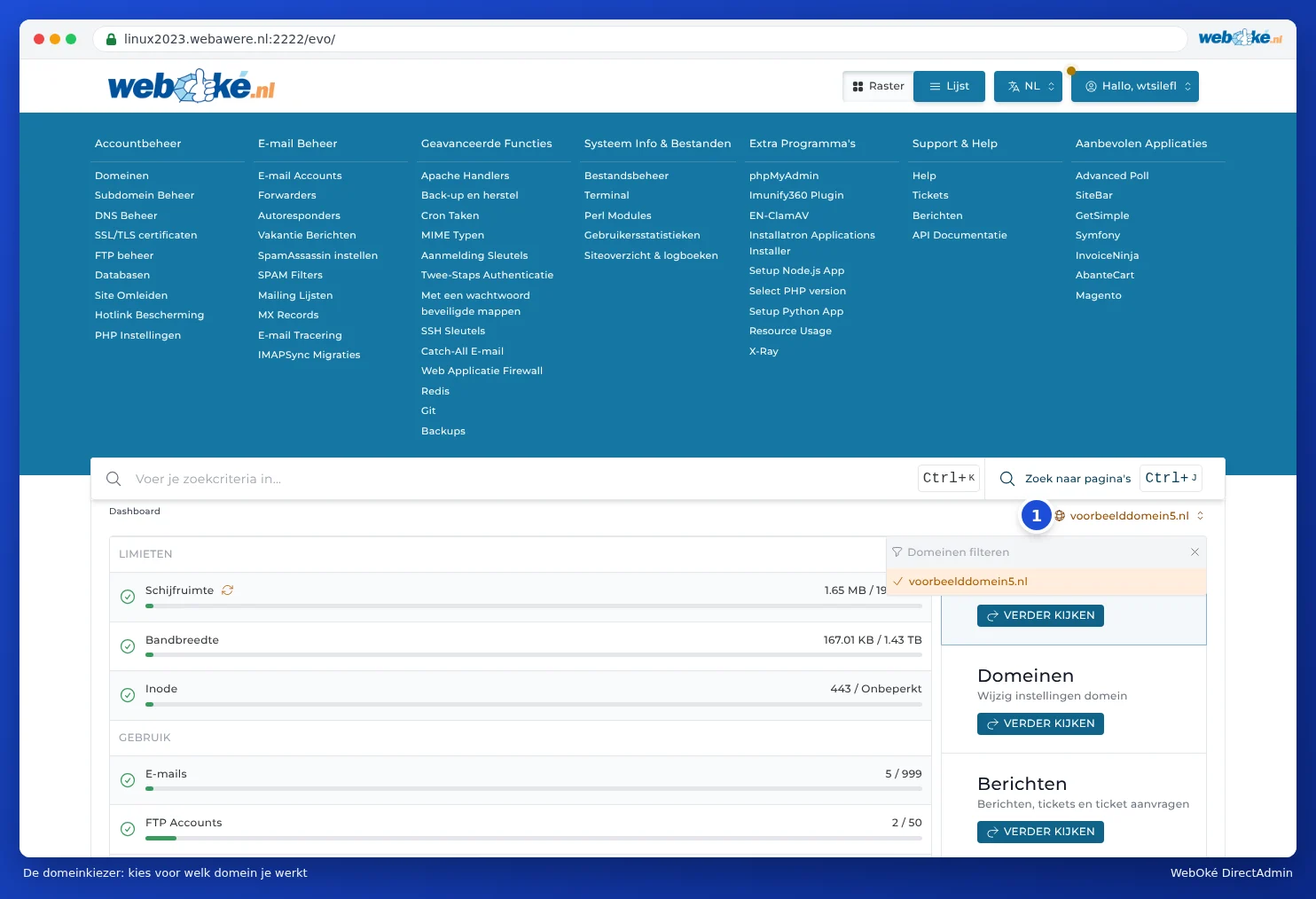
Choosing a different domain
- Click the domain name next to the globe icon (1).
- Choose the domain from the list. If you have a lot of domains, type part of the name in Filter domains.
- The page reloads, now for the chosen domain.
Why does this matter?
Many sections work per domain. Think of E-mail Accounts, Forwarders, DNS Administration, SSL/TLS Certificates, Subdomain Management, Site Redirects and SPAM Filters. You'll only see what belongs to the chosen domain.
This causes a lot of questions such as:
- "My e-mail address has disappeared from DirectAdmin."
- "I've added a DNS record, but it doesn't work."
- "My forwarder is no longer there."
Usually, the domain selector is set to a different domain. Choose the right domain and everything will be back.
Please note: When creating an e-mail address or DNS record, first check at the top right whether the correct domain is selected. Otherwise, it will end up with the wrong domain.
Which domains are in the list?
The list contains the domains that have been added to your package as a domain. Subdomains (such as shop.yourdomain.nl) don't appear separately: you manage those under the main domain in Subdomain Management (see Creating and deleting subdomains). A domain pointer doesn't appear either, because it uses the settings of the domain it points to (see Domain pointers: a second domain name for the same site).
Can I do this in My WebOké too?
In My WebOké, under My Products and then Domains per package, you can see which domain is in which hosting package. This is handy if you have multiple packages and no longer know which DirectAdmin you need.